MSI Claw Tutorial | Claw 8 EX AI+ Handheld PC: Everything You Need to Know | MSI

지금 보고 있는 영상

MSI Claw Tutorial | Claw 8 EX AI+ Handheld PC: Everything You Need to Know | MSI
조회수 5,536
영상 설명 · 눌러서 펼치기
A new Handheld PC era begins!
Introducing the all-new MSI Claw 8 EX AI+ — redesigned to deliver a more powerful, intuitive, and immersive handheld gaming experience.
Powered by Intel Arc G3 Extreme, Intel’s first chip designed specifically for handheld gaming, the Claw 8 EX AI+ brings together Xbox-inspired ergonomics, refined controls, HD Haptics, the redesigned Cooler Boost HyperFlow cooling system, expandable storage, Xbox Mode, and long-lasting battery life — all in a bold new Void Purple design.
In this tutorial, we’ll guide you from first boot to your first game and show you how to get the most out of the Claw experience.
What you’ll learn in this video:
✨ First-time setup with Windows OOBE and Xbox Mode
✨ How to update Windows, drivers, BIOS, and MSI Center M for the best experience
✨ How to install games from Xbox Game Pass, Steam, and other PC game platforms
✨ Quick Settings for making in-game adjustments without interrupting your gameplay
✨ MSI Center M, User Scenario, AI Engine, Endurance Mode, and Manual Mode
✨ Gamepad Mode, Desktop Mode, M1 / M2 macro keys, and Windows desktop navigation
✨ Refined handheld ergonomics with Xbox-inspired curves, a flared grip design, laser-etched textures, and immersive HD Haptics
✨ Intel Arc G3 Extreme processor, Intel XeSS 3, and over 120 FPS in selected AAA titles
✨ An 8-inch FHD+ 120Hz VRR display and redesigned Cooler Boost HyperFlow cooling
✨ A microSD Express card reader, effortless M.2 2280 SSD upgrades, and dual Thunderbolt 4 ports that let you transform the device into a mini PC setup
✨ An 80Whr battery with over 5 hours of AAA gameplay
Whether you’re setting up your Claw for the first time, exploring Xbox Mode, tuning performance, or expanding your game library, this video has you covered.
Grip and play with the new MSI Claw 8 EX AI+!
0:00 Sneak Peak
0:09 Grand Opening & Overview
0:56 First Boot
1:38 Xbox Mode
2:10 Get the Latest Experience
2:45 Install Games & Manage Your Library
3:37 Quick Settings
4:09 MSI Center M
5:33 Seamless Control Between Gaming and Windows
6:55 Design, Comfort & Control
8:02 Next-Level Handheld Performance
8:40 Immersive 8” 120Hz VRR Display
8:59 Redesigned Cooler Boost HyperFlow Cooling
9:27 Easy SSD Upgrade and Comprehensive I/O
10:28 Massive 80Whr Battery for Extended Playtime
10:52 Wrap-Up
Subscribe for more MSI tutorials, product tips, and gaming handheld updates.
Learn More or Watch More:
https://www.msi.com/Handheld/Claw-8-EX-AI-Plus-CG3EMX
https://youtu.be/KhE5kqwX2zI?si=7RruGZZZXb7-uCjj
#MSIClaw #Claw8EXAIPlus #HandheldPC #WindowsHandheld #GamingHandheld #PCGaming #IntelArcG3Extreme #XeSS3 #XboxMode #MSICenterM #QuickSettings #CoolerBoostHyperFlow #HDHaptics #thunderbolt4
----------------------------------------------------------------
Follow us to get the latest news!
► TikTok: https://www.tiktok.com/@msi
► Facebook: https://www.facebook.com/MSIGaming/
► Twitter: https://twitter.com/msigaming
► Instagram: https://www.instagram.com/msigaming/
Introducing the all-new MSI Claw 8 EX AI+ — redesigned to deliver a more powerful, intuitive, and immersive handheld gaming experience.
Powered by Intel Arc G3 Extreme, Intel’s first chip designed specifically for handheld gaming, the Claw 8 EX AI+ brings together Xbox-inspired ergonomics, refined controls, HD Haptics, the redesigned Cooler Boost HyperFlow cooling system, expandable storage, Xbox Mode, and long-lasting battery life — all in a bold new Void Purple design.
In this tutorial, we’ll guide you from first boot to your first game and show you how to get the most out of the Claw experience.
What you’ll learn in this video:
✨ First-time setup with Windows OOBE and Xbox Mode
✨ How to update Windows, drivers, BIOS, and MSI Center M for the best experience
✨ How to install games from Xbox Game Pass, Steam, and other PC game platforms
✨ Quick Settings for making in-game adjustments without interrupting your gameplay
✨ MSI Center M, User Scenario, AI Engine, Endurance Mode, and Manual Mode
✨ Gamepad Mode, Desktop Mode, M1 / M2 macro keys, and Windows desktop navigation
✨ Refined handheld ergonomics with Xbox-inspired curves, a flared grip design, laser-etched textures, and immersive HD Haptics
✨ Intel Arc G3 Extreme processor, Intel XeSS 3, and over 120 FPS in selected AAA titles
✨ An 8-inch FHD+ 120Hz VRR display and redesigned Cooler Boost HyperFlow cooling
✨ A microSD Express card reader, effortless M.2 2280 SSD upgrades, and dual Thunderbolt 4 ports that let you transform the device into a mini PC setup
✨ An 80Whr battery with over 5 hours of AAA gameplay
Whether you’re setting up your Claw for the first time, exploring Xbox Mode, tuning performance, or expanding your game library, this video has you covered.
Grip and play with the new MSI Claw 8 EX AI+!
0:00 Sneak Peak
0:09 Grand Opening & Overview
0:56 First Boot
1:38 Xbox Mode
2:10 Get the Latest Experience
2:45 Install Games & Manage Your Library
3:37 Quick Settings
4:09 MSI Center M
5:33 Seamless Control Between Gaming and Windows
6:55 Design, Comfort & Control
8:02 Next-Level Handheld Performance
8:40 Immersive 8” 120Hz VRR Display
8:59 Redesigned Cooler Boost HyperFlow Cooling
9:27 Easy SSD Upgrade and Comprehensive I/O
10:28 Massive 80Whr Battery for Extended Playtime
10:52 Wrap-Up
Subscribe for more MSI tutorials, product tips, and gaming handheld updates.
Learn More or Watch More:
https://www.msi.com/Handheld/Claw-8-EX-AI-Plus-CG3EMX
https://youtu.be/KhE5kqwX2zI?si=7RruGZZZXb7-uCjj
#MSIClaw #Claw8EXAIPlus #HandheldPC #WindowsHandheld #GamingHandheld #PCGaming #IntelArcG3Extreme #XeSS3 #XboxMode #MSICenterM #QuickSettings #CoolerBoostHyperFlow #HDHaptics #thunderbolt4
----------------------------------------------------------------
Follow us to get the latest news!
► TikTok: https://www.tiktok.com/@msi
► Facebook: https://www.facebook.com/MSIGaming/
► Twitter: https://twitter.com/msigaming
► Instagram: https://www.instagram.com/msigaming/
MSI Gaming 다른 영상

Finally a stream about AI: MSI EdgeXpert
조회수 1,946

Ever Wonder How Agentic AI Works? Experience It with MSI Laptops! | MSI
조회수 832

A Little MEG Magic Trick
조회수 1,328

How to Choose the Right PSU for Your PC? ⚡
조회수 2,506
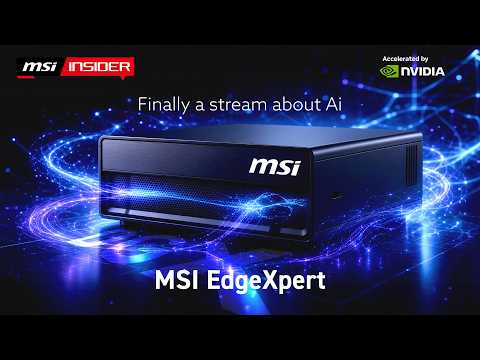
Finally a stream about AI: MSI EdgeXpert
조회수 3,193

Can You Catch The DRACO Bless?
조회수 746

The AIO that actually looks good 👀 MSI MPG CORELIQUID P22 360 #Shorts | MSI
조회수 1,983
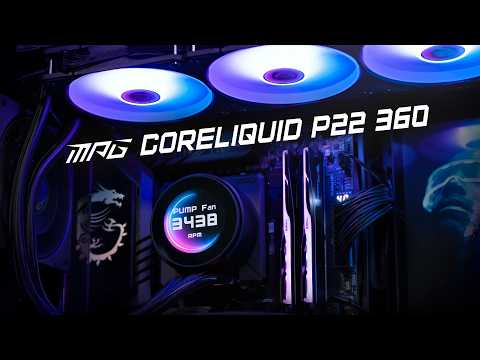
MSI MPG CORELIQUID P22 360 | AIO Liquid Cooler with 2.1" Display | Keep Your Build Cool & Clean
조회수 3,123