How to use My FanCam | Galaxy AI | Galaxy Z Fold8 Ultra, Fold8, and Flip8 | Samsung
지금 보고 있는 영상
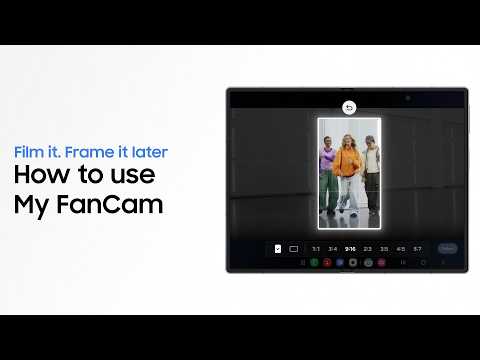
How to use My FanCam | Galaxy AI | Galaxy Z Fold8 Ultra, Fold8, and Flip8 | Samsung
조회수 1,481
영상 설명 · 눌러서 펼치기
This is the official video guide on how to use My FanCam on Galaxy Z Fold8 Ultra, Fold8, and Flip8. With My FanCam, Galaxy AI detects people in your group video so you can make a person of your choice the star 🌟 Create videos and reframe them for any social feed―all without filming again. Film it all. Frame perfectly later. Learn more: http://smsng.co/ZFold8_MyFanCam_Howto_yt
00:00 Intro
00:22 Keep what you want in the frame with My FanCam
Follow these simple steps to use My FanCam:
Step 1: Open Gallery and select a video to edit.
Step 2: Tap 'Galaxy AI' and 'My FanCam' in order.
Step 3: Select a person to focus on and then the aspect ratio.
Step 4: Tap 'Save copy' to easily reframe your video.
Q: Can I select a person from the video to focus on?
A: Yes. My FanCam tracks people in your video and suggests who to focus on, and you can simply tap to put the focus on them.
Q: Can I create different videos from one video?
A: Yes. You can make multiple videos from a single original video by varying the main subject as well as the aspect ratio.
#GalaxyAI #GalaxyZFold8 #MyFanCam #Samsung
00:00 Intro
00:22 Keep what you want in the frame with My FanCam
Follow these simple steps to use My FanCam:
Step 1: Open Gallery and select a video to edit.
Step 2: Tap 'Galaxy AI' and 'My FanCam' in order.
Step 3: Select a person to focus on and then the aspect ratio.
Step 4: Tap 'Save copy' to easily reframe your video.
Q: Can I select a person from the video to focus on?
A: Yes. My FanCam tracks people in your video and suggests who to focus on, and you can simply tap to put the focus on them.
Q: Can I create different videos from one video?
A: Yes. You can make multiple videos from a single original video by varying the main subject as well as the aspect ratio.
#GalaxyAI #GalaxyZFold8 #MyFanCam #Samsung
Samsung 다른 영상
Samsung SSD Brand Manifesto Film | Choose the Sure Thing
조회수 17,259

2026 Neo QLED: Feature Film | Samsung
조회수 28,877

2026 OLED(S90H): Feature Film | Samsung
조회수 49,079

2026 Mini LED(M80H) : Feature Film | Samsung
조회수 32,501

8th Gen Foldables | Galaxy Z Fold8 Ultra and Fold8 | Samsung
조회수 47,060

Voices of Galaxy: Paddling for the Future | Samsung
조회수 16,972

Hope Unfolds | Galaxy Z Fold8 | Samsung
조회수 129,201

2026 OLED(S95H): Feature Film | Samsung
조회수 78,607