아이스크림 셀카 찍는 법, 여행지에서 꼭 해보세요 (Google Gemini)

지금 보고 있는 영상

아이스크림 셀카 찍는 법, 여행지에서 꼭 해보세요 (Google Gemini)
조회수 209,013
- 조회수
- 209,013
- 좋아요
- 73
- 댓글
- 2
- 참여율
- 0.04%
최근 36일 동안 조회수 +207,567 (08-31 → 10-06)
이 채널의 운영자이신가요? 채널 인증을 하면 브랜드 검색 반응 등급과 동급 대비 위치를 볼 수 있습니다. 계정 연동이 아니라 설명란에 코드 한 줄을 넣는 방식입니다.
영상 설명 · 눌러서 펼치기
여행지 필수 인증, 아이스크림 셀카 — Gemini(나노바나나)에 사진을 올리고 아래 프롬프트를 그대로 붙여넣으면 끝!
📄 프롬프트 전체보기 (인물+풍경, 원클릭 복사) ▶ https://walala.notion.site/ice-selfie
📱 만드는 법
1. 스마트폰으로 마음에 드는 여행 사진을 찍는다 (셀카·풍경·친구랑 찍은 사진 다 OK)
2. Gemini에 사진을 업로드한다
3. 아래 프롬프트를 전체 복사해서 붙여넣는다
인물이 있는 사진은 아래 ① 인물 버전을,
풍경만 있는 사진은 ② 풍경 버전(📌고정댓글 또는 위 페이지)을 사용하세요.
* Gemini : https://gemini.google.com/
* Google Gemini 앰배서더 활동의 일환으로 제작지원을 받았습니다.
✂️ 프롬프트 ① 인물 버전 — 여기부터 끝까지 전체 복사
EDIT THE ATTACHED PHOTOGRAPH BY ADDING ONE NEW FOREGROUND ELEMENT.
This is an ADDITIVE composite, not a re-imagining. Think of it as three layers.
════ LAYER 1 — BACKGROUND: THE ATTACHED PHOTO, UNCHANGED ════
The attached photograph is the background plate and must be PRESERVED IN FULL.
- Keep EVERY person visible in the original photo exactly where they are, in the same position, same pose, same clothing, same face, same scale. Nobody is removed, replaced, relocated or emptied out.
- Keep every object, vehicle, sign, building and detail in its original place.
- Do NOT generate a clean plate. Do NOT inpaint people out. Do NOT declutter.
- The ONLY change permitted to this layer is a natural shallow-depth-of-field blur, as if the camera refocused onto a close foreground object. People and objects stay clearly present and recognizable through that blur.
- PRESERVE THE ORIGINAL FRAMING AND ASPECT RATIO. Do not crop the sides. If the canvas must change shape, outpaint and extend the scene instead of cropping — losing any part of the original composition is a failure.
════ LAYER 2 — FOREGROUND: A NEW POPSICLE, ADDED ON TOP ════
Add, in the near foreground, a natural WOMAN'S HAND entering from the bottom of the frame, holding a wooden stick with a crystal-clear ice popsicle.
SCALE — IMPORTANT: the popsicle is the DOMINANT element of the frame. It occupies roughly 60% of the total image height and about half the image width, filling the foreground so the miniature world inside is large, close and easy to read. The hand and popsicle together own the lower and central portion of the frame. Shoot it like a close macro product shot: the camera is near the popsicle and the background sits far behind it. Do NOT render a small, distant or dainty popsicle.
The hand is unmistakably feminine: slender fingers, delicate wrist, softer and smaller proportions than a man's hand, neatly shaped short natural nails, smooth realistic skin texture with visible fingerprints, tiny creases at the knuckles and fine natural details. No masculine hand, no large or heavy-knuckled hand. The hand is lit by the same light direction and color temperature as the original photo, so it reads as part of the same scene.
The popsicle must look extremely realistic: crystal-clear ice, frozen air bubbles, tiny internal cracks, frost along the edges, melting droplets running down, refraction, internal condensation, subtle imperfections, realistic translucent depth.
════ LAYER 3 — INSIDE THE ICE: A DUPLICATE, NOT A RELOCATION ════
Inside the transparent popsicle, build a miniature 3D world containing a SECOND COPY of the main subject(s) of the attached photo.
CRITICAL: this is a DUPLICATE. The same people appear TWICE in the final image — once in the background scene at full size (Layer 1, softly blurred, untouched), and again as tiny miniature figures frozen inside the ice (Layer 3). Both copies must be present simultaneously. Removing them from the background is a failure.
The miniature figures must faithfully preserve each person's facial likeness, hairstyle, expression, pose, body proportions and exact clothing — same colors, same garments, same accessories as in the attached photo. Around them, rebuild miniature versions of the surroundings from the same photo: the location, architecture, props and objects. They appear physically embedded inside the ice, as if that single moment had been frozen in time.
Because the popsicle is large in frame, render the figures at a generous size inside it: faces, expressions and clothing must be sharp and clearly readable, not tiny specks. The miniature scene fills most of the popsicle's interior.
════ RENDERING ════
Photography: cinematic photography, macro-level detail on the popsicle, shallow depth of field, natural daylight matching the original photo's lighting and color grading, beautiful bokeh, physically accurate reflections and refractions, premium editorial photography, ultra-photorealistic, high dynamic range, realistic ice physics, 8K detail.
Composition: the popsicle is large and centered, dominating the foreground and filling most of the frame's height, miniature figures clearly visible and legible through the ice, hand entering naturally from the bottom, the original scene fully intact and softly blurred far behind, strong foreground-to-background depth, no text, no logos.
Mood: magical, elegant, surreal but believable — "one whole memory frozen into a single bite."
#Gemini #나노바나나 #아이스크림셀카 #여행사진 #GeminiTip
서울리안 SEOULiAN 다른 영상

60만원 옵션이 520만원 모니터급?! OLED 맥북 프로 화면값 계산해봄
조회수 7,273

명암비 1000만 대 1?! OLED 맥북 프로, 오타가 아니었다
조회수 6,702
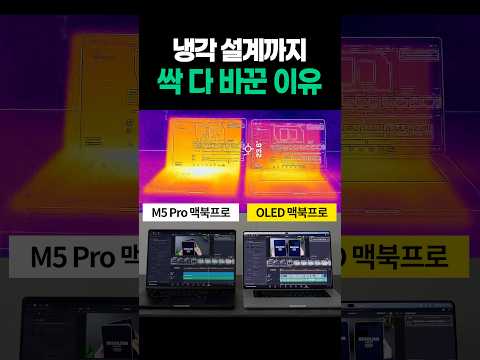
칩은 그대로인데 냉각은 왜 바꿨지?! OLED 맥북 프로의 진짜 이유
조회수 10,174

OLED 화면 꽉 채우면 어두워진다?! PROLED 맥북 프로만 다른 이유
조회수 9,014
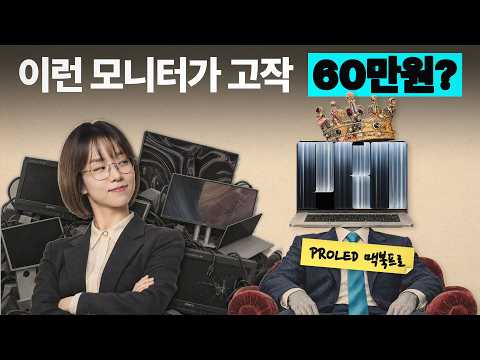
OLED 맥북 프로가 저렴한 이유 | 화면 값만 따로 계산해봤습니다
조회수 21,896

같은 칩, 하나는 60Hz | OLED 아이패드 미니, 문제가 되는 상황 직접 보고 판단하세요
조회수 50,803

NEW iPad mini 뭐가 달라졌나?! 1분 요약
조회수 10,962

MX Master 4 개발자 에디션, 한정판 마우스에 숨겨진 코드 풀어드림
조회수 6,716