포토샵 에스파 느낌 나는 쇠맛 3D 크롬 효과 l AESPA VIBE 3D chrome effect in Photoshop

지금 보고 있는 영상

포토샵 에스파 느낌 나는 쇠맛 3D 크롬 효과 l AESPA VIBE 3D chrome effect in Photoshop
조회수 610
영상 설명 · 눌러서 펼치기
쇠맛 가득한 3D 크롬 효과 만드려면??⛓️
Want to create a metallic 3D chrome effect??⛓️
에스파 앨범커버처럼
쇠맛 가득한 느낌의 3D 크롬 효과!!
포토샵에서 쉽게 만들 수 있는 방법 알려드릴게요😎
최대한 쉽게 따라하실 수 있도록
캡션에 자세히 풀어놨어요!
저장해놓았다가 차근차근 따라하세요:)
-
Think of the bold, futuristic chrome style often seen in K-pop album covers⛓️
I'll show you how to easily create a realistic 3D chrome effect in Photoshop😎
I've explained everything in detail in the caption so it's easy to follow!!
Save this post and try it out step by step :)✨
-
⛓️3D 크롬 효과 만드는 법⛓️
1️⃣ 프롬프트로 편집 클릭 ⇢ 프롬프트 작성 [3D chrome metal, mirror-like reflections, silver base with blue, cyan, purple, and pink reflections, strong highlights, black background] ⇢ 'Gemini 3' 선택
2️⃣ 스마트 오브젝트로 변환 ⇢ 오브젝트 회전 클릭 ⇢ 이미지 컨셉에 맞게 각도 조절하기
💡 이미지에 따라서 세부값은 조절해주세요!
-
⛓️ How to Create a 3D Chrome Effect ⛓️
1️⃣ Click Edit to Prompt ⇢ Enter the prompt: [3D chrome metal, mirror-like reflections, silver base with blue, cyan, purple, and pink reflections, strong highlights, black background] ⇢ Select Gemini 3
2️⃣ Convert the layer to a Smart Object ⇢ Click Rotate Object ⇢ Adjust the angle to match your desired concept and composition.
💡 Adjust the settings as needed depending on your image for the best result!
#어도비 #어도비포토샵 #포토샵 #adobe #adobephotoshop #photoshop #디자이너조이 #designer_zoey
Want to create a metallic 3D chrome effect??⛓️
에스파 앨범커버처럼
쇠맛 가득한 느낌의 3D 크롬 효과!!
포토샵에서 쉽게 만들 수 있는 방법 알려드릴게요😎
최대한 쉽게 따라하실 수 있도록
캡션에 자세히 풀어놨어요!
저장해놓았다가 차근차근 따라하세요:)
-
Think of the bold, futuristic chrome style often seen in K-pop album covers⛓️
I'll show you how to easily create a realistic 3D chrome effect in Photoshop😎
I've explained everything in detail in the caption so it's easy to follow!!
Save this post and try it out step by step :)✨
-
⛓️3D 크롬 효과 만드는 법⛓️
1️⃣ 프롬프트로 편집 클릭 ⇢ 프롬프트 작성 [3D chrome metal, mirror-like reflections, silver base with blue, cyan, purple, and pink reflections, strong highlights, black background] ⇢ 'Gemini 3' 선택
2️⃣ 스마트 오브젝트로 변환 ⇢ 오브젝트 회전 클릭 ⇢ 이미지 컨셉에 맞게 각도 조절하기
💡 이미지에 따라서 세부값은 조절해주세요!
-
⛓️ How to Create a 3D Chrome Effect ⛓️
1️⃣ Click Edit to Prompt ⇢ Enter the prompt: [3D chrome metal, mirror-like reflections, silver base with blue, cyan, purple, and pink reflections, strong highlights, black background] ⇢ Select Gemini 3
2️⃣ Convert the layer to a Smart Object ⇢ Click Rotate Object ⇢ Adjust the angle to match your desired concept and composition.
💡 Adjust the settings as needed depending on your image for the best result!
#어도비 #어도비포토샵 #포토샵 #adobe #adobephotoshop #photoshop #디자이너조이 #designer_zoey
디자이너 조이 Designer Zoey 다른 영상

어도비 포토샵 신기능 브러시 마크업 사용법 l New Photoshop AI feature : Brush Markup
조회수 345

포토샵 AI 신기능 동적 레이어(다이내믹 레이어) 사용법 l How to use Photoshop’s new AI feature : Dynamic Layers
조회수 616

포토샵 촉촉 탱글한 글로우립 만들기 l How to create glossy lips in Photoshop
조회수 1,420
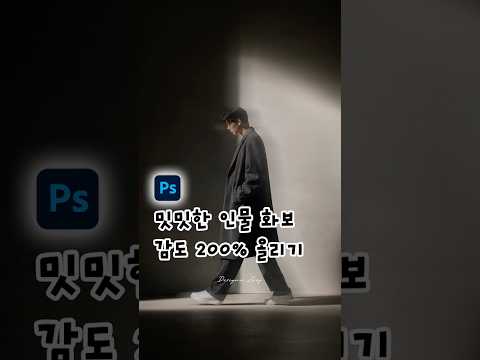
포토샵 인물 사진 모션 블러 효과 적용하기 l How to apply a motion blur effect to portrait photo with Photoshop
조회수 1,355
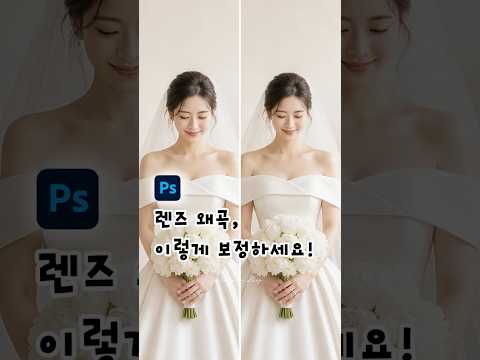
포토샵 렌즈 왜곡 얼굴 크기 줄이기 l How to make face look smaller with photoshop
조회수 1,237

AI없이 연못 물결 파동 만들기 l How to Create a Pond Water Ripple Effect with Photoshop
조회수 429

포토샵 인물 피부톤 보정 하는 법 l How to Naturally Correct Skin Tone with Photoshop
조회수 638

간단한 프롬프트로 여행 사진 스꾸하기 l Better travel photo with Adobe Firefly
조회수 190