How to use Search Nearby | Galaxy SmartTag3 | Samsung

지금 보고 있는 영상

How to use Search Nearby | Galaxy SmartTag3 | Samsung
조회수 514
영상 설명 · 눌러서 펼치기
This is the official video guide on how to use Search Nearby with Galaxy SmartTag3. Compass View provides distance and direction guidance to help you close in on belongings, ideal for locating items quickly. If an object remains hidden, ring Galaxy SmartTag3 and follow the sound to pinpoint its exact location. Learn more: http://smsng.co/SmartTag3_HowTo_SearchNearby_yt
00:00 Intro
00:10 Get guided with Compass View
Follow these simple steps to use Search Nearby:
Step 1: Open the SmartThings app and select Galaxy SmartTag3.
Step 2: Tap 'View map' and 'Search Nearby.'
Step 3: Follow the distance and direction guidance to move closer to your belongings.
Step 4: If it’s still hard to spot, ring Galaxy SmartTag3 and follow the sound to pinpoint its location.
Q: How does Search Nearby help me find my belongings?
A: The enhanced compass view provides distance and direction guidance as you get closer to the Galaxy SmartTag3, and the notification sound helps you locate objects even when they are out of sight.
Q: What if I still can’t see Galaxy SmartTag3 when I’m close to it?
A: Use Ring Your Tag to play a sound on Galaxy SmartTag3 and follow the sound to its location.
#GalaxySmartTag3 #Samsung
00:00 Intro
00:10 Get guided with Compass View
Follow these simple steps to use Search Nearby:
Step 1: Open the SmartThings app and select Galaxy SmartTag3.
Step 2: Tap 'View map' and 'Search Nearby.'
Step 3: Follow the distance and direction guidance to move closer to your belongings.
Step 4: If it’s still hard to spot, ring Galaxy SmartTag3 and follow the sound to pinpoint its location.
Q: How does Search Nearby help me find my belongings?
A: The enhanced compass view provides distance and direction guidance as you get closer to the Galaxy SmartTag3, and the notification sound helps you locate objects even when they are out of sight.
Q: What if I still can’t see Galaxy SmartTag3 when I’m close to it?
A: Use Ring Your Tag to play a sound on Galaxy SmartTag3 and follow the sound to its location.
#GalaxySmartTag3 #Samsung
Samsung 다른 영상

How to get notified about your belongings | Galaxy SmartTag3 | Samsung
조회수 513
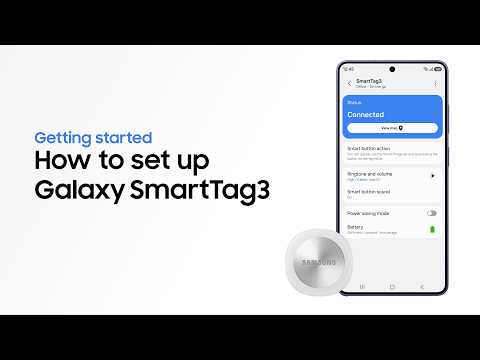
How to set up and get started | Galaxy SmartTag3 | Samsung
조회수 473

Samsung SSD Brand Manifesto Film | Choose the Sure Thing
조회수 20,198

2026 Neo QLED: Feature Film | Samsung
조회수 31,613

2026 OLED(S90H): Feature Film | Samsung
조회수 56,637

2026 Mini LED(M80H) : Feature Film | Samsung
조회수 36,191

8th Gen Foldables | Galaxy Z Fold8 Ultra and Fold8 | Samsung
조회수 50,553

Voices of Galaxy: Paddling for the Future | Samsung
조회수 17,477