How to get notified about your belongings | Galaxy SmartTag3 | Samsung

지금 보고 있는 영상

How to get notified about your belongings | Galaxy SmartTag3 | Samsung
조회수 513
영상 설명 · 눌러서 펼치기
This is the official video guide on how to set notifications with Galaxy SmartTag3, so you can stay in the know about your belongings. Get a heads-up when something gets left behind, starts moving, or when it enters or leaves a place you’ve set. With three useful notifications keeping you updated, it is best for staying one step ahead of the unexpected. Learn more: http://smsng.co/SmartTag3_HowTo_GetNotified_yt
00:00 Intro
00:32 Notify when left behind
00:54 Notify when movement detected
01:20 Notify when entering or leaving a place
Follow these simple steps to set notifications with Galaxy SmartTag3:
Step 1: Open the SmartThings app, select Galaxy SmartTag3, tap 'View map', then tap '⋯' (More options).
Step 2: Toggle on 'Notify when left behind' to get an alert when Galaxy SmartTag3 disconnects.
Step 3: Toggle on 'Notify when movement detected' to get an alert when your Galaxy SmartTag3 starts moving while you’re away.
Step 4: Tap 'Notify when in set place’ to get an alert when Galaxy SmartTag3 enters or leaves a place you’ve set.
Q: Can I choose when Galaxy SmartTag3 notifies me?
A: Yes. You can choose from notifications for when an item is left behind, starts moving, or enters or leaves a place you’ve set.
Q: Can I adjust the size of the area for entry or exit notifications?
A: Yes. You can set a radius from 300 m to 5 km around your chosen place.
#GalaxySmartTag3 #Samsung
00:00 Intro
00:32 Notify when left behind
00:54 Notify when movement detected
01:20 Notify when entering or leaving a place
Follow these simple steps to set notifications with Galaxy SmartTag3:
Step 1: Open the SmartThings app, select Galaxy SmartTag3, tap 'View map', then tap '⋯' (More options).
Step 2: Toggle on 'Notify when left behind' to get an alert when Galaxy SmartTag3 disconnects.
Step 3: Toggle on 'Notify when movement detected' to get an alert when your Galaxy SmartTag3 starts moving while you’re away.
Step 4: Tap 'Notify when in set place’ to get an alert when Galaxy SmartTag3 enters or leaves a place you’ve set.
Q: Can I choose when Galaxy SmartTag3 notifies me?
A: Yes. You can choose from notifications for when an item is left behind, starts moving, or enters or leaves a place you’ve set.
Q: Can I adjust the size of the area for entry or exit notifications?
A: Yes. You can set a radius from 300 m to 5 km around your chosen place.
#GalaxySmartTag3 #Samsung
Samsung 다른 영상

How to use Search Nearby | Galaxy SmartTag3 | Samsung
조회수 514
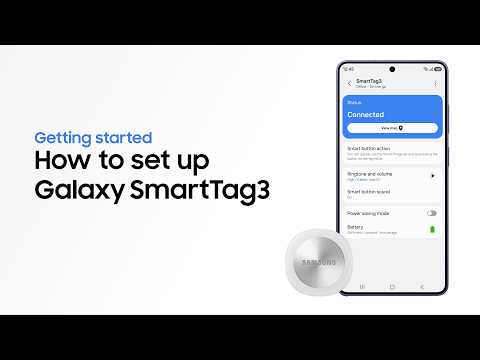
How to set up and get started | Galaxy SmartTag3 | Samsung
조회수 473

Samsung SSD Brand Manifesto Film | Choose the Sure Thing
조회수 20,198

2026 Neo QLED: Feature Film | Samsung
조회수 31,613

2026 OLED(S90H): Feature Film | Samsung
조회수 56,637

2026 Mini LED(M80H) : Feature Film | Samsung
조회수 36,191

8th Gen Foldables | Galaxy Z Fold8 Ultra and Fold8 | Samsung
조회수 50,553

Voices of Galaxy: Paddling for the Future | Samsung
조회수 17,477